Shortcut: AI Features, Pricing and How to Use It
Shortcut describes itself as fast project management for software teams and their agents, where people and AI agents plan, build, and ship together. This overview covers its features, plans and pricing, and how to hand work to an agent and still verify it.
At a Glance
| At a glance | |
|---|---|
| Best for | Small to mid-sized product and engineering teams that want a lightweight, story-based tracker with agent handoff |
| Free plan | Yes, up to 10 users, with one team and one workspace (reported) |
| AI layer | Korey agent, Shortcut for Agents, Shortcut MCP Server |
| Pricing model | Per user per month, annual or monthly billing; Enterprise by quote |
| Deployment | Cloud (web and desktop) |
| Official site | shortcut.com |
What It Is
Shortcut covers the core agile structure: stories on kanban boards, epics, backlogs, roadmaps, objectives, docs, and sprints, which it calls iterations. It is lightweight and keyboard-friendly, integrates with GitHub, GitLab, and Bitbucket so stories update as code moves, and offers a free plan.
Its AI approach is to keep the agent, Korey, outside the tracker as a separate product that works with Shortcut and GitHub Issues, alongside agent coordination inside Shortcut itself.
AI Capabilities
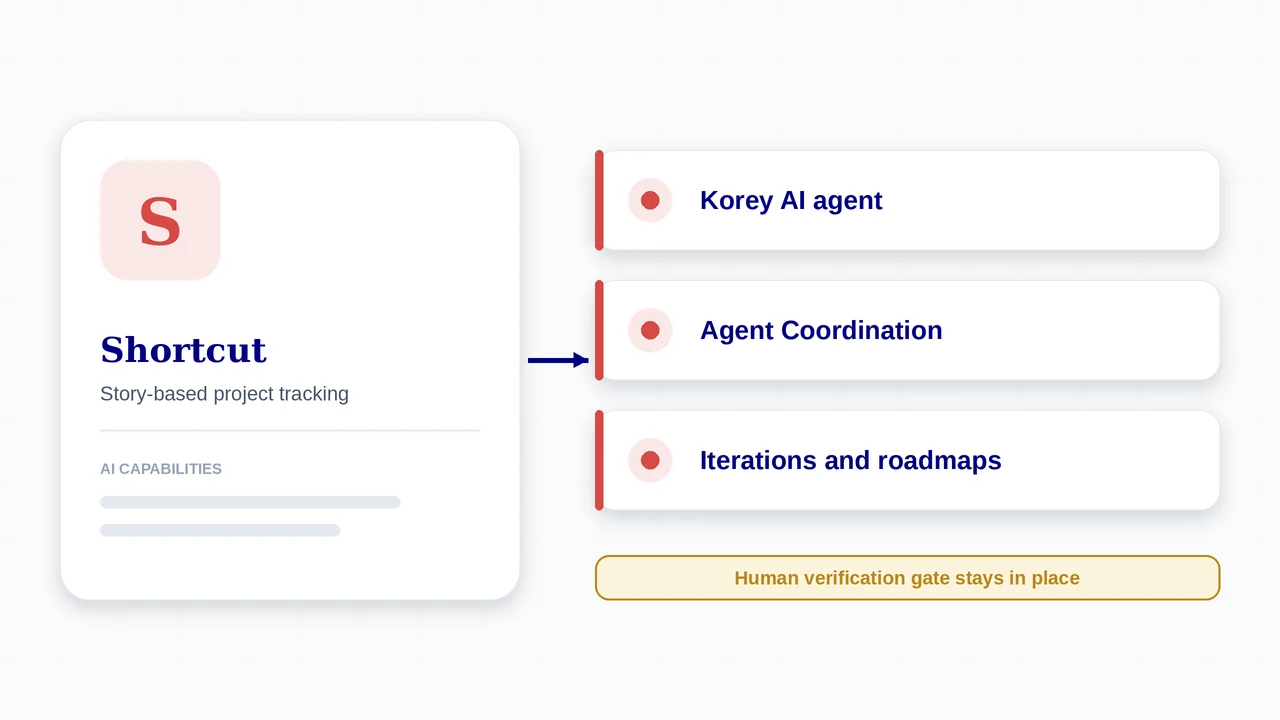
- Korey, an AI agent for product development that Shortcut says moves work from idea to spec to pull request in minutes
- Shortcut for Agents: work side by side with AI to scope tasks, write pull requests, and track progress in Shortcut; Agent Coordination lets you hand work to any teammate, human or agent
- Shortcut MCP Server, connecting Shortcut to tools such as Cursor and Claude Code so coding agents stay synced with your work
- Sprints (iterations), work-in-progress limits, custom fields, objectives, roadmaps, and docs
- Security: Shortcut lists GDPR and SOC 2 compliance, Google SSO on all plans, SSO and SCIM, and HIPAA and BAA readiness
Plans and Pricing
Prices are reported from Shortcut’s public pricing page (snapshots in March and May 2026). Sources differ on which figure applies to annual versus monthly billing, so the table gives the commonly reported annual rates and notes the monthly equivalents.
| Plan | Price | What you get |
|---|---|---|
| Free | $0, up to 10 users | One team and one workspace; boards, roadmaps, sprints, docs, and GitHub, Slack, and Figma integrations (reported). |
| Team | About $8.50 per user per month on annual billing (monthly billing reported near $10) | Up to 5 teams and workflows; everything in Free. |
| Business | About $12 per user per month on annual billing (monthly billing reported near $16) | Unlimited teams and workspaces, objectives and OKRs, advanced custom fields, advanced reporting. |
| Enterprise | Custom quote | Volume discounts, SSO and SCIM, and larger-scale administration. |
| Korey | Check korey.ai | Korey is a separate product from Shortcut; confirm its pricing and limits on its own site. |
How AI Is Charged
- Shortcut’s own pricing page describes a trial: if you have 10 or fewer users when it ends, you can keep using Shortcut for free, and with more than 10 users you need a paid plan.
- Shortcut states it is free for qualifying nonprofits.
- Billing is metered per user per month within a yearly cycle.
- Korey and agent usage may be priced separately from the Shortcut seat, so check before you plan a budget.
How to Get Started
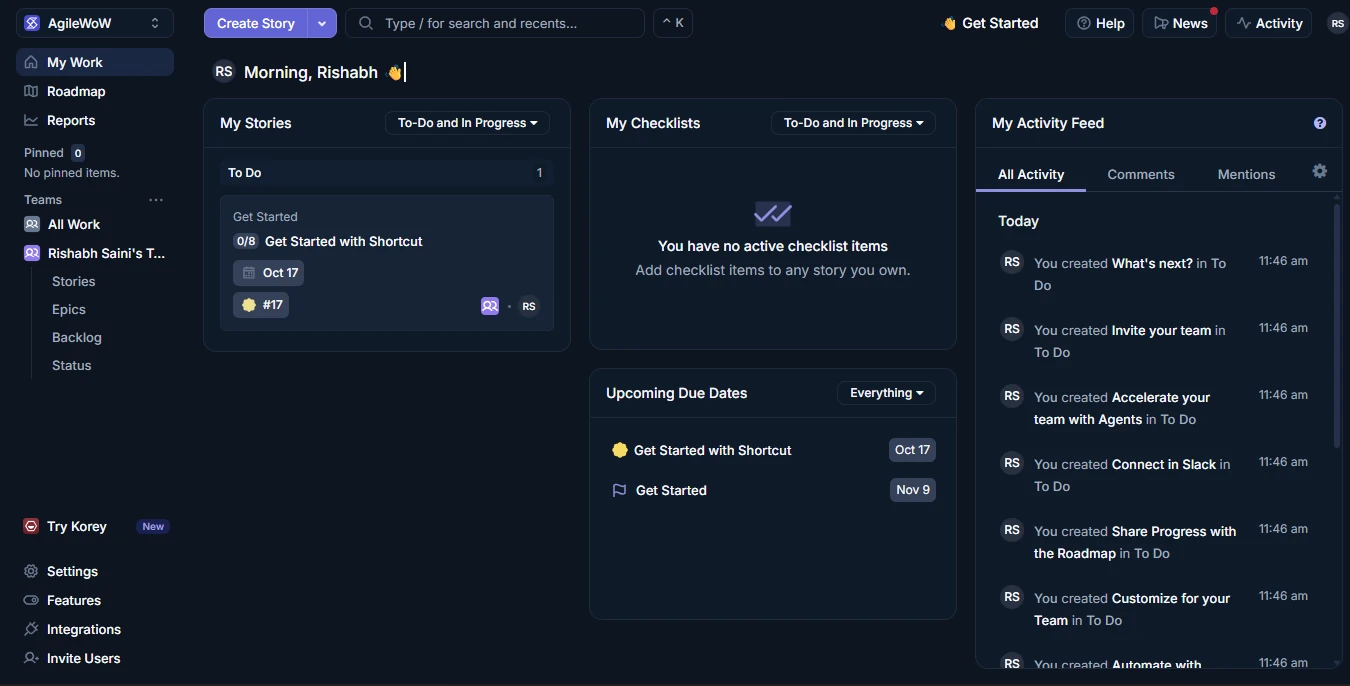
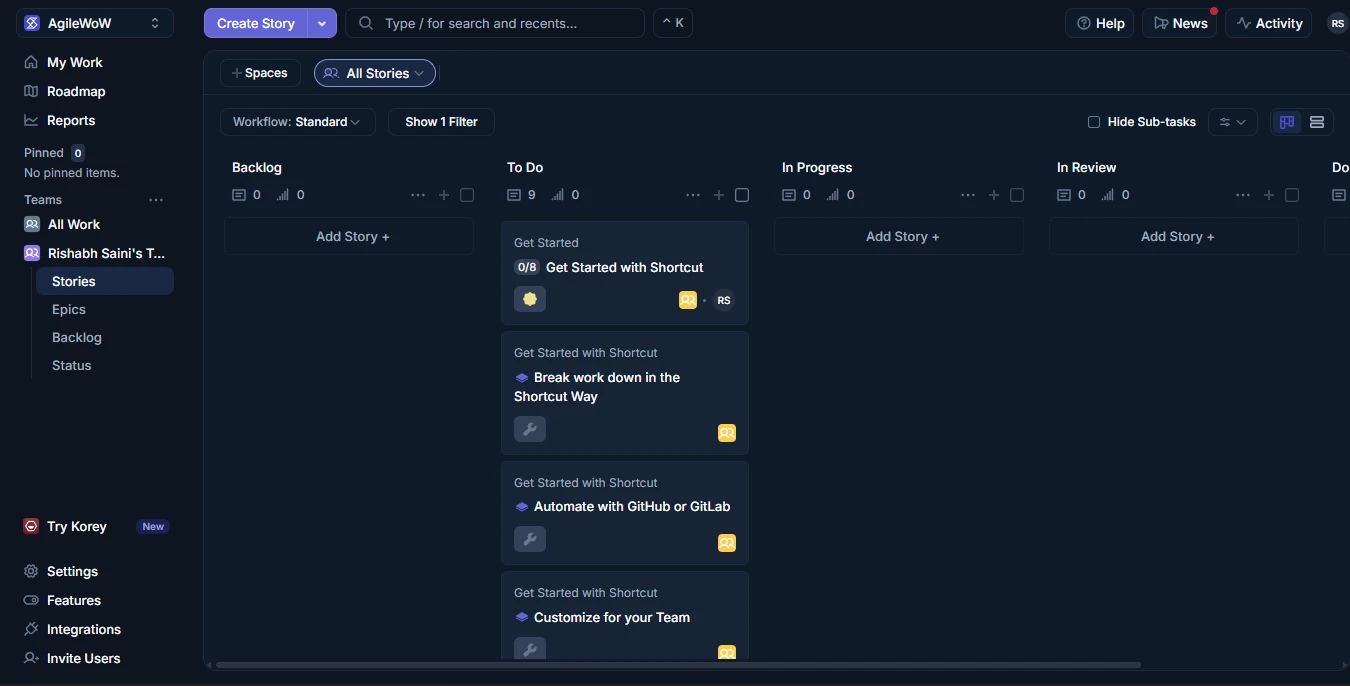
- Sign up for the free plan and create a workspace, a team, and a workflow with the states you use (for example To Do, In Progress, In Review, Done).
- Create epics and stories, and set up iterations to match your sprint length.
- Connect GitHub, GitLab, or Bitbucket so branches and pull requests update stories through VCS automations.
- Connect Slack for notifications, then try Korey or Shortcut for Agents on a low-risk story.
- To use coding agents from your editor, connect the Shortcut MCP Server in Cursor or Claude Code. Write your Definition of Done into your story template.
Handing a story to an agent in Shortcut
- Write the story. Use Korey to turn a rough idea into a structured, development-ready story, then edit it yourself.
- Plan the iteration. Pull stories into the iteration and set work-in-progress limits so work does not pile up.
- Hand off. Assign the story to an agent through Shortcut for Agents, or work with a coding agent connected through the MCP server.
- Track. Follow the agent’s progress on the board next to human work.
- Review the pull request. GitHub integration updates the story as the pull request moves; a person reviews it.
- Close. Move the story to Done only when it meets the Definition of Done.
Who It Fits
A good fit when
- You want a lightweight tracker that engineers actually enjoy using
- Your team is 10 people or fewer and can use the free plan
- You want to coordinate human and agent work on one board
- You use coding agents in Cursor or Claude Code and want them synced to your backlog
Watch out for
- Smaller ecosystem and fewer enterprise controls than Jira
- Free and Team plans are limited to one workspace (reported)
- Korey is a separate product with its own pricing
- Independent coverage of the AI features is limited, so test them on a pilot
What’s New
- Korey and Shortcut for Agents are marked “New” on Shortcut’s own site and are the headline of its homepage.
- Shortcut states that its plan is free forever with no credit card required; confirm current limits on its pricing page.
- Shortcut publishes a press kit, brand guidelines, and a downloadable logo on its own site, which is the sanctioned place to get its brand assets.
Features, plans, and prices for AI change quickly. Confirm availability, pricing, and data handling on the official Shortcut site before you commit. Product details are Shortcut’s own marketing. Plan prices come from third-party snapshots of its pricing page, and sources differ on annual versus monthly figures.
Using It in AI-Augmented Scrum
A platform’s AI features do not change who is accountable for what ships. This table maps the platform to each Scrum event, and the cards below show how it connects to the framework.
| Scrum event | What the platform offers | What stays with the Scrum Team |
|---|---|---|
| Sprint Planning | Iterations and backlogs; Korey helps shape stories before planning | The team commits to the Sprint Goal and decides what agents take |
| Daily Scrum | Boards show human and agent work side by side | The team inspects progress toward the Sprint Goal |
| Review | Pull requests link to stories through VCS automations | People review and accept work against the Definition of Done |
| Retrospective | Reporting and objectives give data; agent handoffs are visible on each story | The team decides what to change in story quality and agent use |
Clearer requirements
Korey’s focus on well-formed specs targets a common cause of agent defects: vague input. Track whether review rework falls.
Iterations
Shortcut’s iterations map directly to the sprint, so sprint-level agent metrics are straightforward to pull.
Handoff
Because work can be handed to a human or an agent, decide where an agent’s output is reviewed before it counts as done.
Frequently Asked Questions
Is Shortcut free?
Yes. The Free plan supports up to 10 users with one team and one workspace. Team is about $8.50 and Business about $12 per user per month on annual billing.
What is Korey?
Korey is Shortcut’s AI agent for product engineering workflows, positioned to move work from idea to spec to pull request. It is a separate product at korey.ai.
Does Shortcut have an MCP server?
Yes. The Shortcut MCP Server connects Shortcut to tools like Cursor and Claude Code so coding agents stay synced with your work.
Does Shortcut support sprints?
Yes. Sprints are called iterations, alongside epics, roadmaps, objectives, and docs.
Sources
- Shortcut (official homepage)
- Shortcut pricing (official)
- Shortcut pricing, snapshot May 2026 (third-party)
- Shortcut overview and plans (third-party)
- Shortcut: best project management tools for engineering teams in 2026
Shortcut and its logo are trademarks of their respective owners. AI-Augmented Scrum is not affiliated with or endorsed by the vendor. Prices are list prices at the time of checking, exclude tax, and change often. Screenshots show the vendor’s product or a product demo on its website and are used for identification and review.
Put It to Work
Use the framework tools alongside Shortcut: route the work, define done, and inspect the sprint.
AI Scrum Master
Acceleration Course
An Interactive Hands-on course for Scrum Masters, Agile Coaches, and Agile Leaders
VIEW DETAILS