ClickUp: AI Features, Pricing and How to Use It
ClickUp is a configurable work-management platform that puts tasks, docs, chat, sprints, and automations in one workspace. Its AI layer was relaunched in June 2026 as Brain². This overview covers the features, the plans and the separate AI add-on pricing, and a practical way to run sprints with it.
At a Glance
| At a glance | |
|---|---|
| Best for | Teams that want one workspace for sprints, docs, chat, and wider project work, and are willing to pay for AI as an add-on |
| Free plan | Yes, Free Forever with unlimited tasks and members (reported 60 MB storage) |
| AI layer | Brain², Super Agents, Brain MAX apps, AI Notetaker, MCP connections |
| Pricing model | Per user per month; AI add-ons billed on every paid member |
| Deployment | Cloud; web, desktop, and mobile apps |
| Official site | clickup.com |
What It Is
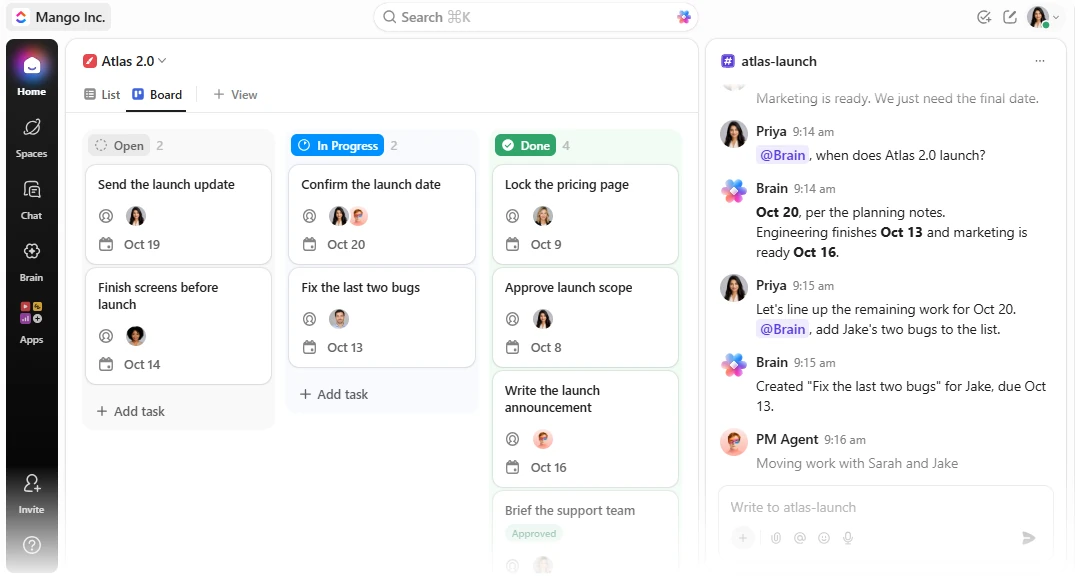
ClickUp’s pitch is one workspace for work, knowledge, and conversations, with AI that can read across all of it. It is a broad platform rather than an engineering-only tracker, so it suits teams that want sprints alongside wider project and operations work. Work is organised as Spaces, Folders, and Lists, with List, Board, Gantt, Calendar, and other views.
ClickUp lists sprints, docs, dashboards, whiteboards, time tracking, automations, and chat among its built-in tools.
AI Capabilities
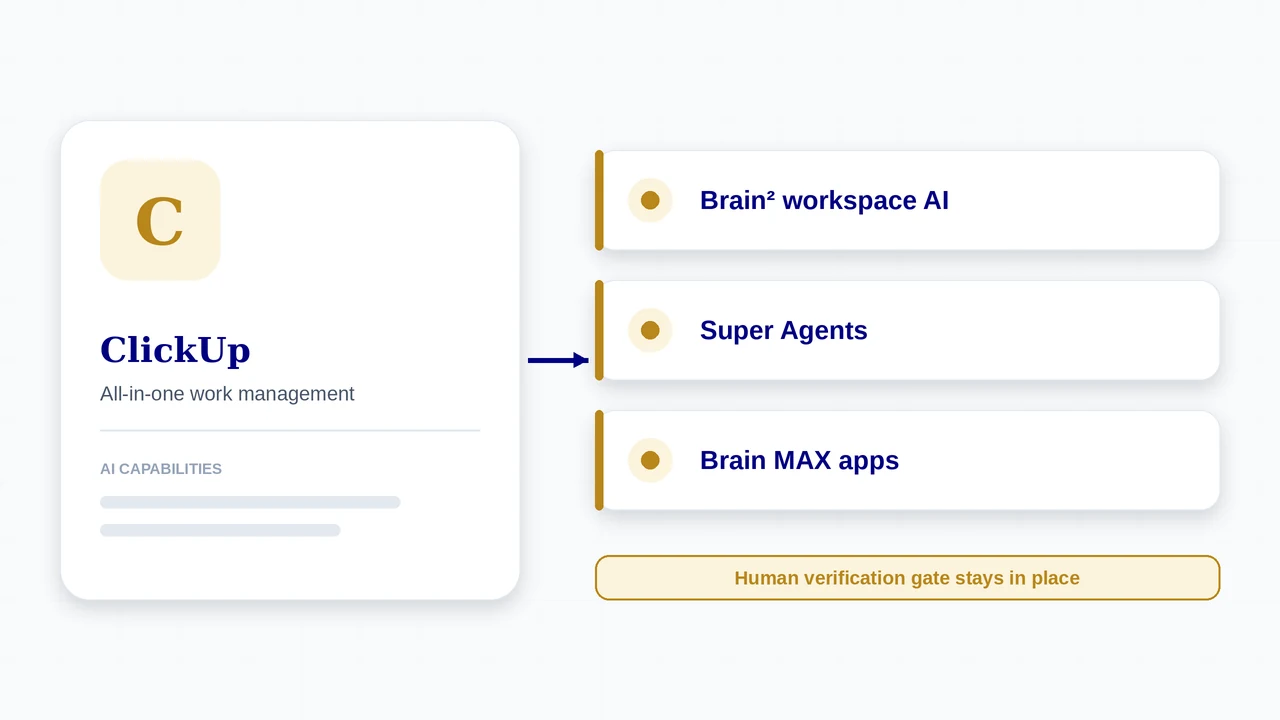
- Brain²: workspace-aware AI that uses your tasks, docs, and conversations, picks a model for each job, remembers preferences, and reaches connected apps and MCP tools such as Google Drive, GitHub, and Salesforce
- Super Agents: AI teammates you can delegate tasks to, built without code, with schedules, permissions, and action logs
- Brain MAX: a standalone app for macOS, Windows, iOS, and Android
- Agents for product and engineering on its solutions page: a PRD agent (drafts docs from voice notes), a Triage agent (prioritises bugs), a Live Answers agent, and a Codegen agent that produces code
- Core planning tools: sprints, docs, dashboards, automations, time tracking, and an AI Notetaker for meetings
Plans and Pricing
Prices are reported from ClickUp’s public pricing pages by several third parties (May to September 2026) and agree with each other. Annual billing is cheaper than monthly.
| Plan | Price | What you get |
|---|---|---|
| Free Forever | $0 | Unlimited tasks and members; reported 60 MB storage and limits on automations and some views. |
| Unlimited | $7 per user per month annual (about $10 monthly) | Unlimited storage, integrations, and views for small teams. |
| Business | $12 per user per month annual (about $19 monthly) | Everything in Unlimited plus more automation (reported 5,000 per month) and team features. |
| Enterprise | Custom quote (reports of roughly $25 to $40 per user per month) | Enterprise permissions and governance, enterprise API, higher automation limits (reported 250,000 per month). |
| Brain AI add-on | $9 per user per month annual (about $18 monthly) | Brain assistant, AI writing, enterprise search, and 1,500 AI Super Credits per user per month. |
| Everything AI add-on | $28 per user per month annual (reported about $68 monthly) | Everything in Brain plus Super Agents, Brain MAX, premium models, AI Notetaker, AI Fields, and 5,000 credits per month. |
How AI Is Charged
- AI is not included in the base plans. Reports stress that Brain is billed on every paid member in the workspace, not only the people who use AI, so the add-on scales with headcount.
- AI Super Credits power Super Agents, AI automations, and AI fields. Heavy agent use can run through the monthly allowance, so check the overage rules.
- ClickUp states that its agreements with third-party model providers mean zero data training and retention, and lists SOC 2 Type II, ISO 27001, GDPR, and HIPAA. These are vendor claims to verify.
- A 14-day free trial of paid tiers is reported.
How to Get Started
- Create a Workspace, then a Space for engineering with a Folder and Lists for your backlog.
- Turn on Sprints for the Space and set your sprint length and statuses.
- Choose your AI tier. Brain covers the assistant and writing; Everything AI is needed for Super Agents and Brain MAX.
- Connect GitHub and other tools, and add MCP connections if you want Brain to reach outside data.
- Set permissions for any Super Agent before it runs, and write your Definition of Done into your task templates.
A typical AI-assisted sprint in ClickUp
- Plan. Ask Brain to create and prioritise tasks from a goal or meeting notes, and break large tasks down.
- Delegate. Build a Super Agent for a recurring job (for example bug triage), give it a schedule and permissions, and assign tasks to it.
- Capture. Use AI Notetaker for meetings and let Brain turn decisions into tasks.
- Monitor. Review the Super Agent’s action log to see exactly what it did.
- Report. Have Brain draft sprint updates and reports from the workspace.
- Verify. A person accepts work against the Definition of Done before the status changes to Done.
Who It Fits
A good fit when
- You want sprints, docs, chat, and project work in one platform
- You are happy to pay for AI as a per-seat add-on
- You want a no-code way to build agents with permissions and logs
- Your team spans engineering and non-engineering functions
Watch out for
- AI add-on cost scales with every paid member
- Breadth means more setup and a steeper learning curve
- Free plan limits (storage, automation, custom field uses) push teams to paid tiers quickly
- Launch and plan details have changed several times in 2026, so verify before buying
What’s New
- Brain² launched in June 2026 as a rebuilt AI platform; Super Agents launched in February 2026; ClickUp also acquired AI coding company Codegen.
- ClickUp states its agreements with third-party model providers mean zero data training and retention, and lists SOC 2 Type II, ISO 27001, GDPR, and HIPAA. These are vendor claims, so check them against your own requirements.
- A later 2026 release added external MCP tools for Super Agents.
Features, plans, and prices for AI change quickly. Confirm availability, pricing, and data handling on the official ClickUp site before you commit. Product details come from ClickUp’s own site; prices come from third-party reports of its pricing pages. Sources differ slightly on the exact Brain² launch date (mid to late June 2026).
Using It in AI-Augmented Scrum
A platform’s AI features do not change who is accountable for what ships. This table maps the platform to each Scrum event, and the cards below show how it connects to the framework.
| Scrum event | What the platform offers | What stays with the Scrum Team |
|---|---|---|
| Sprint Planning | Brain creates, breaks down, and prioritises tasks | The team commits to the sprint goal and capacity |
| Daily Scrum | Brain drafts status updates; agents post progress | The team inspects progress toward the Sprint Goal |
| Review | Super Agent output appears as tasks, docs, or code with action logs | People verify output against the Definition of Done |
| Retrospective | Action logs and AI Notetaker give evidence; Brain can summarise sprint data | The team decides what to change in agent permissions and process |
Action logs
Super Agents keep action logs. Use them as evidence in the retrospective instead of relying on memory of what the agent did.
Permissions
Agents have permissions you configure. Start narrow and widen only as the retro shows the work is verified.
Language
ClickUp calls agents “teammates”. In AI-Augmented Scrum, agents are capacity, not members of the Scrum Team, so accountability stays with people.
Frequently Asked Questions
Is ClickUp free?
Yes. Free Forever includes unlimited tasks and members, but storage and some features are limited. Paid plans start at $7 per user per month on annual billing.
Is ClickUp AI included in the plans?
No. Brain AI ($9 per user per month annual) and Everything AI ($28) are separate add-ons billed on every paid member.
What are Super Agents?
AI teammates you can assign tasks to, built without code, with schedules, permissions, and action logs. They require the Everything AI tier.
Does ClickUp support sprints?
Yes. Sprints are a built-in feature alongside docs, dashboards, and automations.
Sources
- ClickUp (official homepage)
- ClickUp updates and changelog (2026)
- ClickUp rolls out Brain² (TestingCatalog)
- ClickUp pricing 2026 (third-party)
- ClickUp pricing, checked Jul 2026 (third-party)
ClickUp and its logo are trademarks of their respective owners. AI-Augmented Scrum is not affiliated with or endorsed by the vendor. Prices are list prices at the time of checking, exclude tax, and change often. Screenshots show the vendor’s product or a product demo on its website and are used for identification and review. Frames marked “Screenshot placeholder” have not been replaced yet.
Put It to Work
Use the framework tools alongside ClickUp: route the work, define done, and inspect the sprint.
AI Scrum Master
Acceleration Course
An Interactive Hands-on course for Scrum Masters, Agile Coaches, and Agile Leaders
VIEW DETAILS